

The best thing to do with an old laptop depends on whether it still works well and what a repair would cost. If it runs, sell it, reuse it or donate it. If it’s slow, an upgrade might save it. If it’s finished, wipe it and recycle it for free.
Most of us have a drawer or cupboard holding an old laptop we never quite decided about. Whether you have one machine or a stack of old laptop computers from years of upgrades, the choice usually comes down to three practical paths: sell it, keep and reuse it, or repair it. If none of those suit, there are free ways to donate or recycle it in Australia.
Whichever you choose, your personal data has to be dealt with first. The full wipe steps are in Option 1 below, and the other sections point back to them.
Tips: Before you sell, donate or recycle: Back up your files, sign out of accounts, remove device locks and securely erase your personal data.
Which Option Is Best for Your Old Laptop?
If you’re wondering what to do with an old laptop, start by checking its condition and whether it still meets your needs. A working laptop may be worth selling, reusing or donating, while a slow one could benefit from an upgrade or repair. If it’s too old or damaged to justify the repair cost or resale, recycling may be the most practical option.
| Your laptop | Best option | Why |
| Works well and you’ve already replaced damaged parts | Sell it | It still has resale value, especially with the charger |
| Works but feels slow | Upgrade it (SSD or RAM), then keep or sell | A small upgrade can transform performance |
| Works well but you don’t want the hassle | Donate it or trade it in | Quick, and someone else gets the use |
| Very old but fine for basics | Reuse it | A spare or light-duty machine costs nothing to keep |
| One failing part, rest is fine | Repair it if the cost is reasonable | Batteries, hinges and fans are common fixes |
| Multiple faults or won’t start | Salvage useful parts, then recycle | Repair costs usually outweigh the value |
Option 1: Sell Your Old Laptop

Assess the Value and Sell Your Old Laptop
An old laptop can still have meaningful resale value, particularly if it is in good working condition and has desirable specifications. What a laptop sells for depends on a handful of things:
- Brand and tier: Apple and business-grade models (such as ThinkPad, Latitude or EliteBook lines) tend to hold value better than budget laptops.
- Age and specs: A relatively recent processor, an SSD and at least 8 GB of RAM can make an older laptop more appealing to buyers.
- Physical Condition: The condition of the screen, keyboard, hinges, ports and casing can affect the asking price and buyer interest.
- Battery health: A battery that holds little charge can reduce the laptop’s resale value.
- Included Accessories: A genuine charger and other compatible accessories can make the laptop easier to sell.
To get a realistic figure, don’t rely on asking prices. Search for your exact model on eBay Australia and filter to sold items, then compare with similar listings on Facebook Marketplace and Gumtree. If the likely sale price isn’t worth your time, donating or trading in may be the smarter move.
Prepare and wipe your laptop for sale
Deleting files or formatting the drive is not enough. Recovery software can bring that data back, so a proper wipe matters. Here’s the order to follow.
- Back up what you want to keep: Copy documents, photos, bookmarks, saved passwords and any software licence keys to an external drive or cloud storage. Back up your important files twice if they matter.
- Sign out of your accounts: Sign out of your Microsoft account, Apple ID and iCloud, Google account, email, cloud storage, browsers and your password manager. On a Mac, turn off Find My so the next owner isn’t blocked by Activation Lock.
- Wipe the laptop: Use the method for your system below.
- Windows 10 or 11
Go to Settings > Recovery and choose Reset this PC > Remove everything. Enable the option to clean the drive for a more thorough wipe. Menu names may vary slightly.
- Mac
On recent Macs, go to System Settings > General > Transfer or Reset > Erase All Content and Settings. On older Macs, use macOS Recovery > Disk Utility to erase the drive, then reinstall macOS.
- SSDs and sensitive data
For most sales, a factory reset with encryption is a sensible baseline. For laptops containing highly sensitive business or financial data, consider professional data destruction.
- Check the result: The laptop should start at the first-time setup screen, with none of your accounts or files visible.
- Clean the outside: Wipe the screen, keyboard and casing. A clean laptop sells faster.
Salvage and sell working parts
If a laptop won’t sell whole, or it’s faulty but has good components, selling parts can still return something. Salvaging means removing working parts and selling them individually.
- RAM modules, if they’re in slots rather than soldered to the board.
- SSD or hard drive, after a proper wipe.
- Battery, only if it’s healthy and undamaged.
- Genuine charger, the easiest part to sell.
- Screen, keyboard and Wi-Fi card for popular models.
Check sold listings for each part first. Prices vary a lot by model and age.
Where to sell an old laptop in Australia
| Where | Best for | Trade-off |
| Facebook Marketplace or Gumtree | Local cash sales, best price for popular models | Time-wasters, and you handle pickup and scams yourself |
| eBay Australia | Wider audience, parts and niche models | Fees and shipping |
| Trade-in program (for example Apple trade-in) | A quick, simple exit toward a new device | Credit depends on model, age and condition, and is usually lower |
| Refurbisher or cash-for-laptops buyer | Convenience | Lowest price, so compare two or three quotes |
How to write a listing that sells:
- State the exact model, screen size, processor, RAM and storage type.
- Be honest about battery health and any faults.
- Photograph the laptop switched on, with the charger.
- Say that it has been wiped and reset.
Option 2: Keep and Reuse Your Old Laptop
A working old laptop costs you nothing to keep, and giving it a job can save you buying something else.
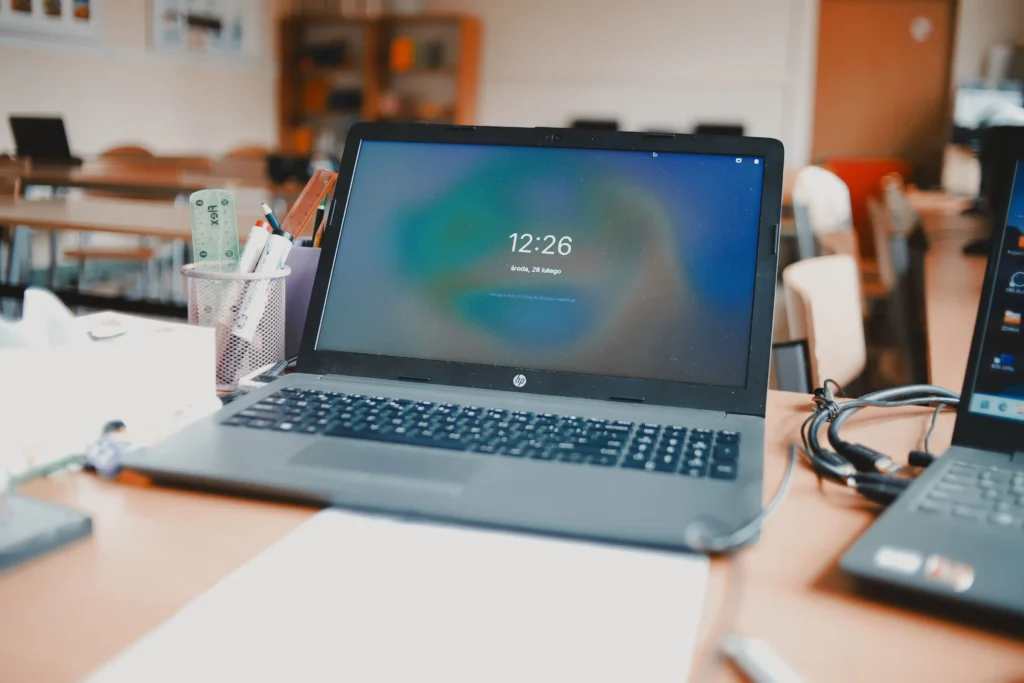
Use it as a spare or backup laptop
A spare is handy when your main computer breaks or goes in for repair. It’s also good for travel and for guests. Keep it updated and charged, and check the battery from time to time. If a battery ever looks swollen, stop using the laptop and have it handled by a technician or a battery recycling drop-off.
Hand it down to family
An older laptop is often perfectly good for a child’s homework, a student, or a parent who only needs email and web browsing. Do a reset first, then set up a fresh standard user account with updates on.
Turn it into a media or streaming machine
Connect it to a TV with an HDMI cable and it becomes a dedicated screen for Netflix, YouTube and music. It can also serve as a local backup device for your family photos.
Use it for light home office tasks
Invoices, documents, spreadsheets, video calls and cloud files rarely need a powerful machine. A separate laptop for admin also keeps household and work tasks apart.
Give a very old laptop a second life
Windows 10 stopped receiving standard security updates in October 2025, and many older laptops can’t run Windows 11. For a laptop used mainly for web browsing, email and streaming, a lightweight system can extend its life:
- ChromeOS Flex is Google’s free operating system for older PCs and Macs. Check Google’s certified models list, and test it from a USB drive before you install it. Installing erases the internal drive.
- Linux Mint is a beginner-friendly Linux option. Computerbank in Victoria installs Linux on the laptops it refurbishes for the same reason: it keeps older hardware useful.
These suit basic tasks, not Windows-only software. Avoid using an unsupported operating system for online banking.
Option 3: Repair or Upgrade Your Old Laptop
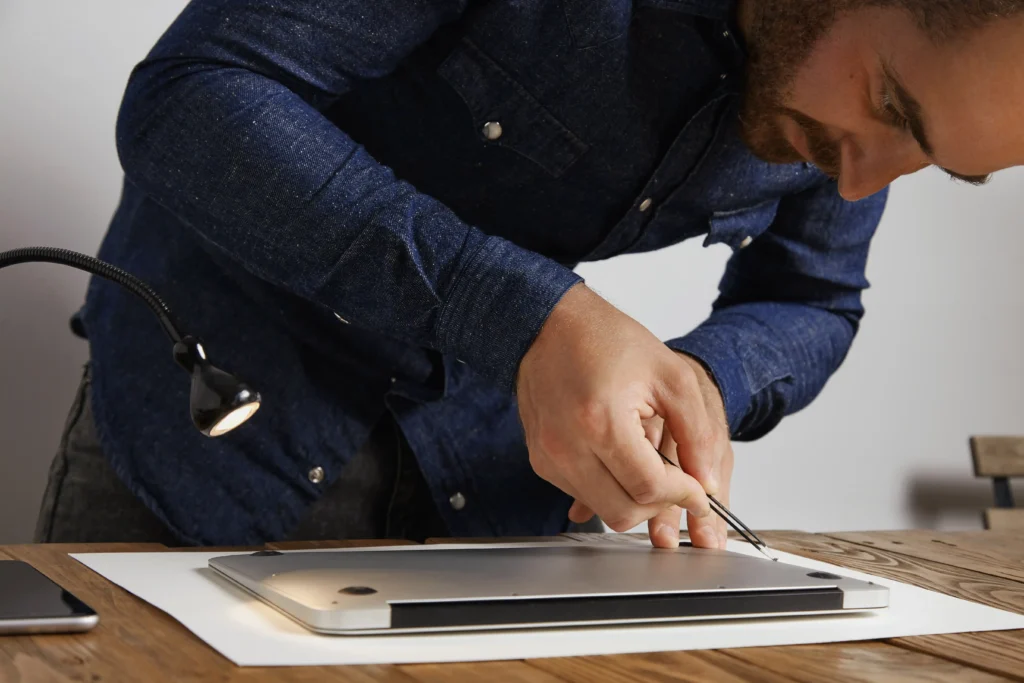
Common repairs worth doing
Not every old laptop needs a replacement. Common problems such as worn batteries, damaged hinges and overheating can often be repaired at low cost, while more serious faults may not be worth the cost. A professional laptop repair service can diagnose the issue and help you determine whether repairing the laptop makes sense.
| Repair | Usually worth fixing? | Notes |
| Worn battery | Yes, on an otherwise good laptop | Check whether the battery is removable or internal |
| Loose or cracked hinge | Yes, if caught early | Hinge damage spreads to the casing and screen |
| Laptop Overheating or loud fan noise | Yes | Cleaning dust and reapplying thermal paste often helps |
| Cracked or broken screen | Depends on the model | Often not worth it on older budget laptops |
| Faulty charging port | Often | A common failure |
| Motherboard failure | Rarely | Repair cost usually outweighs the laptop’s value |
Upgrades that can make the biggest difference
If your old laptop is still in decent condition but feels slow or outdated, a few hardware upgrades may be enough to improve its performance.
- SSD: Upgrading an old hard drive with a SSD is usually the biggest speed boost for the money.
- RAM: If your laptop has 4 GB, moving to 8 GB or more helps with multitasking.
- Battery: A battery replacement restores portability.
- Clean install: Reinstalling the operating system and removing clutter can revive a laptop that has slowed over time.
Before you buy anything, check whether the RAM is upgradeable or soldered, which drive type and size fits, and the maximum RAM the laptop supports. A processor generally can’t be upgraded.
Is repair worth the cost?
Use a simple rule of thumb: get a quote, then compare it with the cost of a decent replacement. If the repair costs under about half of a comparable replacement, repairing is usually sensible. If it costs more than half, replacing is often better.
For example, if a comparable replacement costs $800 and a repair is quoted at $150, repair. If the quote is $500, replace. (The figures are illustrative only.)
Also weigh the laptop’s age, whether it has more than one fault, and how you use it. One fault on an otherwise good laptop points to repair. Several faults point to replace or salvage.
When to get a technician’s help
A technician can diagnose the fault, check upgrade compatibility, recover data from a laptop that won’t start and securely wipe it. A quote before you spend money makes the repair-or-replace decision much easier.
Option 4: Donate or Recycle
If selling, reusing or repairing doesn’t suit, the easiest free route is to drop the laptop at a recycling point under Australia’s national scheme, such as a TechCollect site or Officeworks. If it still works, donating it is even better. Either way, wipe your data first using the steps in Option 1.
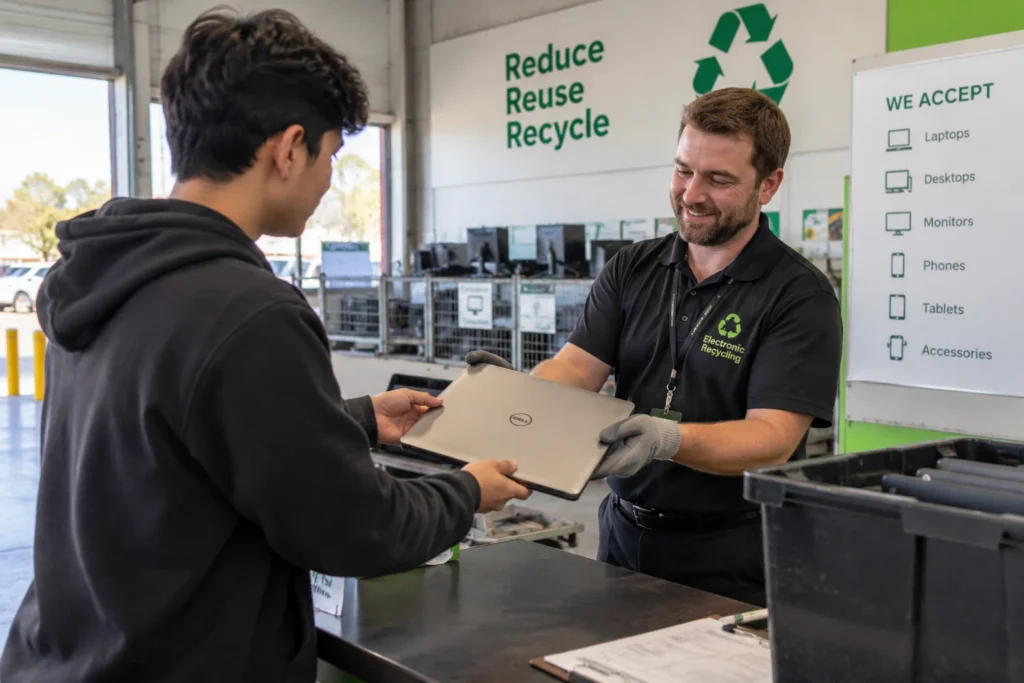
Donate your laptop if it still works
Donation keeps a working laptop in use and helps close the digital divide. Options include:
- Computerbank (Victoria) accepts clean, undamaged laptops and tablets suitable for refurbishment, and provides refurbished computers at low cost to eligible customers.
- WorkVentures logistic solutions refurbishes donated computers and laptops and passes them to people and communities who need them.
- Planet Ark’s Recycling Near You lists community reuse initiatives.
Call ahead and ask about age and condition rules. Wipe the laptop first, and make sure Apple devices are removed from iCloud so they aren’t locked.
Free recycling through the national scheme
The National Television and Computer Recycling Scheme (NTCRS) operates under the Recycling and Waste Reduction Act 2020. Under it, companies that make or import computers must fund end-of-life recycling, which is why household drop-off is free.
- Accepted Items: Laptops, monitors, peripherals , printers, scanners, cables, chargers, hard drives, and motherboards.
- Approved Organisations: Ecycle Solutions, Ecocycle, TechCollect, Sustainable Product Stewards, and Ecoactiv.
- Target: Industry-backed services like TechCollect work with recyclers aiming to recover and reuse at least 90% of materials.
Check local drop-off points
- TechCollect has a drop-off locator for households and small businesses.
- Officeworks accepts laptops through its Bring It Back program, but you hand them to a team member rather than using the chutes.
- Recycling Near You (Planet Ark) lets you search by postcode.
Call ahead, because not every site accepts every item.
Do not throw it in normal bins
Laptops contain materials such as lead, mercury and cadmium that shouldn’t end up in landfill. South Australia, Victoria and Western Australia have banned electronic waste from landfill. Lithium batteries can also start fires in bins and collection trucks, and the recyclers recover valuable metals that would otherwise be wasted. Then there’s the data risk: an unwiped laptop in the wrong hands can expose your personal information.
Final Thoughts
An old laptop isn’t automatically rubbish. If it works, sell it, reuse it or donate it. If it’s slow, an SSD or RAM upgrade may be all it needs. If repair costs more than about half of a replacement, or it has several faults, salvage what’s useful and recycle the rest for free.
Whatever you choose, back up your files, sign out of your accounts and wipe the laptop properly first. If you’re in Perth and need a second opinion on your old laptop, experienced local technicians at Computer Mechanics can assess the condition, provide a repair or upgrade quote, transfer your data and securely wipe the device.
FAQs
What’s the best thing to do with an old laptop?
The best thing to do with an old laptop is to sell it if it still works, keep it as a spare if it’s useful, or repair or upgrade it if it’s slow. If it’s beyond saving, wipe it and recycle it for free. The right choice depends on the laptop’s condition and your needs.
What do I do with a 10 year old laptop?
A 10-year-old laptop usually has little resale value, but it can still be useful. Keep it for basic tasks, install ChromeOS Flex or Linux for a second life, donate it if a charity accepts it, or wipe and recycle it. Check that a battery hasn’t swollen before using it.
Is it worth selling an old laptop?
It can be, especially for a working laptop from a known brand with its charger. Check eBay Australia sold listings for your exact model to see what it really sells for. If the price won’t cover your time, donate or trade it in instead.
How can I dispose of my old laptop securely?
Back up your files, sign out of your accounts and run a factory reset that erases the drive. Don’t just delete files or format the drive. For sensitive data, use a professional data destruction service, then recycle the laptop through the national scheme.
Where can I recycle a laptop for free in Australia?
Take it to a drop-off point under the National Television and Computer Recycling Scheme, such as a TechCollect site or Officeworks, where you hand it to a team member. You can also search by postcode on Recycling Near You or check your council’s e-waste options.
Should I repair or replace an old laptop?
The best decision to repair or replace an old laptop depends on its condition and repair cost. If the repair is under about half the cost of a suitable replacement, it may be worth fixing. For an accurate assessment and quote, contact a professional laptop repair service such as Computer Mechanics to diagnose the issue and provide a repair quote.
