

Batteries in laptops do not last forever, and as the years go by, the capacity to hold a charge declines. You may also notice that your device is dying faster than it should, software is slowing down, or your laptop is experiencing sudden shutdowns at the most inappropriate time. These are mostly signs that your laptop battery is failing and nearing the end of its usable life. Disregarding these signs will cost you productivity and, in some cases, even money in case your laptop is destroyed.
In this guide, we discuss the most common indicators of a failing laptop battery, how to monitor the health of your battery, and why a professional service can save you time and damage.
Why Laptop Batteries Fail
Laptop batteries usually fail due to the reasons below:
- Natural ageing of lithium-ion cells
- Excessive charging cycles
- High temperatures or overheating
- Overcharging or deep discharging
- Manufacturing defects
Even when you use your laptop very carefully, most laptop batteries only last a few years. For most laptops, the typical lifespan is 2–4 years, but it still depends on usage and care.
Common Signs Your Laptop Battery Is Failing
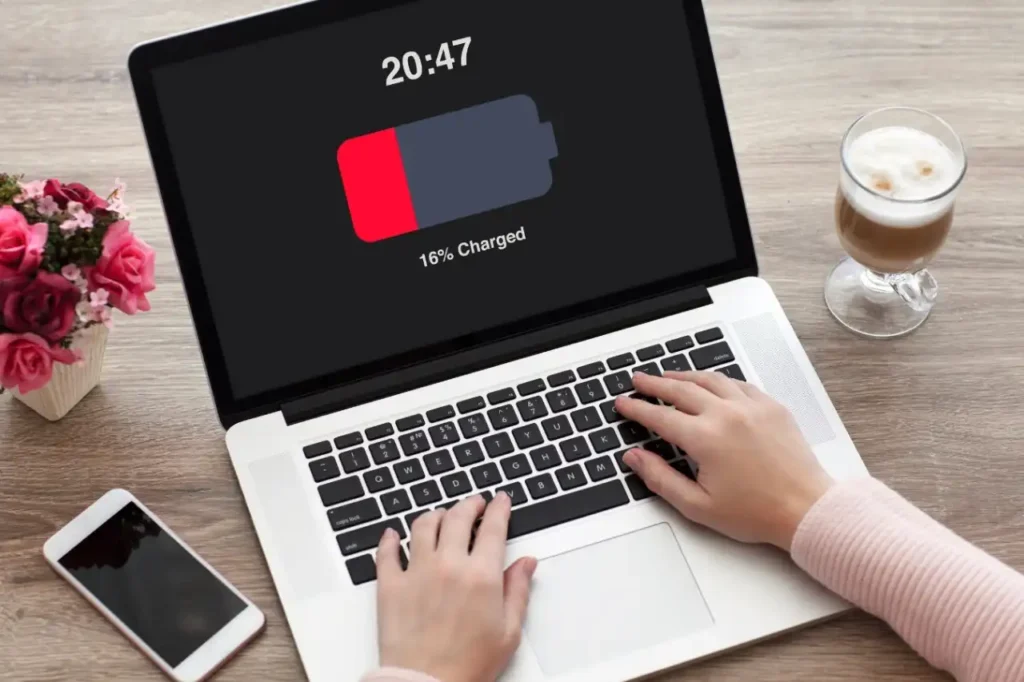
1. Laptop Battery Drains Quickly
Your laptop used to last several hours before, but now it dies after just an hour or even less time. This might be a clear sign that the capacity of the battery has declined.
When to replace: If your laptop struggles to make it through even light daily tasks, it may be time to replace the laptop battery. Adjusting power settings won’t help you much when your laptop has reached this stage.
2. Laptop Won’t Charge
When plugging in your laptop, it may show that the battery is not charging, or the charge percentage stays the same. This could indicate that the battery has reached the end of its lifespan, or there could be an internal fault.
When to replace: If your laptop battery stops charging consistently, even with the original charger. Don’t ignore this, as forcing the laptop to run on a failing battery could damage other components.
3. Battery Won’t Reach 100%
Over time, you may notice that a battery may fail to fully charge. And it only reaches 70–80% despite being plugged in for hours.
When to replace: If partial charges interfere with your productivity or cause frequent shutdowns, it’s time to invest in a battery replacement for a laptop. A fully functional battery will ensure you get the runtime you expect.
4. Swollen or Bloated Battery
A swollen battery or battery bloated warning is a serious safety concern. Physical swelling can push against the laptop casing, potentially causing damage or even fire hazards.
When to replace: Stop using the laptop immediately. Get a professional laptop battery replacement. Do not attempt to fix or puncture a swollen battery yourself as it’s extremely dangerous, because the internal chemicals can catch fire, leak toxic substances, or even cause an explosion if the battery is damaged or handled incorrectly.
5. Sudden Shutdowns
If your laptop shuts down unexpectedly while the battery still shows a charge, this usually points to ageing cells or internal faults. Sometimes, this may also appear as a situation where the computer restarts randomly, interrupting your work without warning.
When to replace: Random shutdowns are a warning that the battery can’t deliver steady power. Replacing it ensures you won’t lose work or risk hardware damage.
6. Battery Health Warnings
Many laptops include a laptop battery health test in their system diagnostics. Warnings like “Service Recommended” or “Replace Soon” indicate the battery is nearing the end of its lifespan.
When to replace: If system diagnostics flag the battery as “Replace Soon” or “Service Recommended,” it’s wise to act and get a laptop battery replacement quickly. Ignoring it could disrupt daily use and leave your laptop unreliable.
7. Laptop Performance Slows on Battery Power
Some laptops reduce performance when the battery is in a bad condition. You may notice that your PC keeps freezing, along with apps or tasks lagging, even when the laptop is plugged in and should be performing at full power.
When to replace: If the slow laptop performance is largely evident when the device is not connected to a power source, then it is an indication that the battery is straining. Normal functioning and efficiency can be restored after replacing it.
8. Laptop Gets Hot or Battery Overheats
If your laptop becomes unusually warm or hot near the battery area, it may indicate internal battery stress. Overheating can shorten battery life or cause internal damage. In such cases, it’s essential to perform a cpu temp check, as excess heat from both the battery and CPU can impact overall system stability.
When to replace: If your laptop frequently feels hot near the battery, consider a battery replacement for the laptop before it becomes a safety risk. Cooling won’t fix an ageing battery.
9. Battery Percentage Fluctuates Rapidly
In some cases, the battery percentage can either suddenly jump from 30% to 10% or even decline when it is in the charging state. Such erratic reading is normally an indicator of degraded/worn-out battery cells.
When to replace: Your battery is not reliable anymore when the readings are erratic or there is a sudden decrease. A laptop battery replacement will provide a stable performance and minimise the possibility of unpredictable failures.
What to Do If You Notice These Signs
- Backup Your Files
When laptops shut down unexpectedly, it can sometimes cause data loss. That is why always back up important files to the cloud or an external drive to recover data if they’re lost.
- Check Battery Health
You can easily check if your battery is failing using built-in tools. Windows has a Battery Report in Command Prompt. Macs show battery condition in System Information. These show charge capacity, cycle count, and overall health.
Need extra details? Trusted apps like BatteryCare (Windows) or coconutBattery (Mac) can track wear, efficiency, and remaining life.
- Avoid Risky DIY Fixes
Do not try hacks like freezing the battery or makeshift repairs. These methods can damage your laptop or pose safety hazards.
- Plan for Battery Replacement
Once serious signs appear, don’t delay. Timely replacement prevents sudden shutdowns, protects your device, and avoids expensive repairs. Battery replacement cost varies depending on the laptop brand and model. It typically ranges from $50 to $150 for most consumer laptops.
Why Go for a Professional Laptop Battery Replacement Service
Replacing a laptop battery yourself can be risky. It’s especially risky with modern laptops that have sealed designs or internal components that are easy to damage. Professional technicians ensure the battery is installed safely, use high-quality or genuine replacements, and can check overall battery health to make sure everything runs properly.
Computer Mechanics in Perth offers speedy same-day replacement of the laptop batteries of all major brands. Our skilled technicians conduct every replacement in a very professional way, ensuring that the new battery is fitted properly so your laptop is safe and ready to use. With our professional repairing service, you need not worry because your device is in safe hands.
How to Prevent Future Battery Issues
A few simple habits like the following can make a big difference in how long your battery lasts and how well your laptop performs.
- Keep Your Laptop Cool: Since high temperatures can degrade battery cells and reduce lifespan, stop leaving your laptop in direct sunlight or placing it near heat sources.
- Follow the 20/80 Charging Rule: Charge your laptop when it drops to around 20%. And unplug it at about 80%. Keeping it constantly at 100% will definitely strain the battery over time.
- Shut Down or Sleep When Not in Use: You should not leave your laptop running continuously. It may cause the battery to drain and overheat. So, shut it down or put it to sleep.
- Use Battery Saver Modes: Battery saver or power saving mode is a feature that limits background activity, lowers the power usage, and thus the battery lasts longer.
- Avoid Heavy Tasks While Charging: With intensive programs like games or video editing software running even while charging, extra heat will be created, which wears out the battery super fast.
Conclusion
A failing laptop battery can lead to frustration, data loss, and even safety risks. Watch for signs like rapid draining, swollen batteries, charging issues, and unexpected shutdowns. Regularly performing a laptop battery health test can help you plan a timely laptop battery replacement, extending your device’s life and keeping it running safely. Addressing battery issues early not only improves daily usability but also helps you avoid unexpected repair costs and premature laptop repair or replacement.
FAQs
1. What are the signs that my laptop battery is failing?
Here are a few ways to tell if your battery is wearing out:
- Drains very quickly
- Laptop won’t charge or laptop battery stopped charging
- Battery percentage jumps or drops suddenly
- Sudden shutdowns
- Swollen or bloated battery
- Slower performance on battery power
2. What causes laptop batteries to fail?
Batteries can fail for several reasons, including:
- Natural ageing of lithium-ion cells
- Frequent charging cycles
- Exposure to heat or overheating
- Overcharging or deep discharges
- Rare manufacturing defects
3. How can I test if my laptop battery needs replacing?
Use built-in diagnostics or trusted software to check battery health. A laptop battery health test measures capacity and charge cycles. It’s the best way to know if your battery is failing before it causes unexpected shutdowns or data loss.
4. How long does a laptop battery last?
Most batteries last between 2–4 years, depending on use. Heavy daily use, leaving the laptop hot, or charging habits can shorten that. Checking battery health regularly helps you plan a replacement before it causes serious problems.
5. Is it worth replacing a laptop battery?
Yes, if your laptop is otherwise in good condition. A new battery restores normal runtime, prevents sudden shutdowns, and keeps your laptop performing properly. It’s cheaper than buying a new laptop and can extend the device’s life by years.
6. How much does a laptop battery replacement cost in Perth?
For most consumer laptops, a replacement battery costs between $50 and $150. Prices vary depending on brand and model. Professional installation ensures safety and proper functioning, especially for laptops with internal batteries.
7. Where can I get my laptop battery replaced in Perth?
If your battery is giving trouble, the safest option is a professional service. Computer Mechanics in Perth can replace your laptop battery quickly and safely. We handle all major brands and modern laptops with sealed designs. Most replacements are done the same day, so you’re not stuck without your laptop for long.