

Slow Computer Repair in Perth: How We Restored Performance Without Replacement
This case study covers a slow computer repair for a Perth customer, including performance diagnosis, system optimisation, testing and restoring functionality without the cost of an unnecessary replacement.
The Issue
Zayan Brooks brought his desktop computer to Computer Mechanics after experiencing increasingly slow performance. The computer took a long time to start up, applications were sluggish to open, and even basic tasks had become frustrating. What used to be a reliable device was now interrupting his everyday work.
Zayan initially suspected that the computer was getting too old and that replacing it might be his only option. However, before spending money on a new system, he wanted to know whether the existing computer could be brought back to a usable condition without the expense of a complete replacement.
What We Did:
1. Diagnosing the Performance Issues
Our technicians started by assessing the computer’s overall performance, checking its startup behaviour, running processes, storage condition, and system configuration. The initial assessment focused on identifying what was slowing the machine down rather than assuming that its age meant it needed replacing.
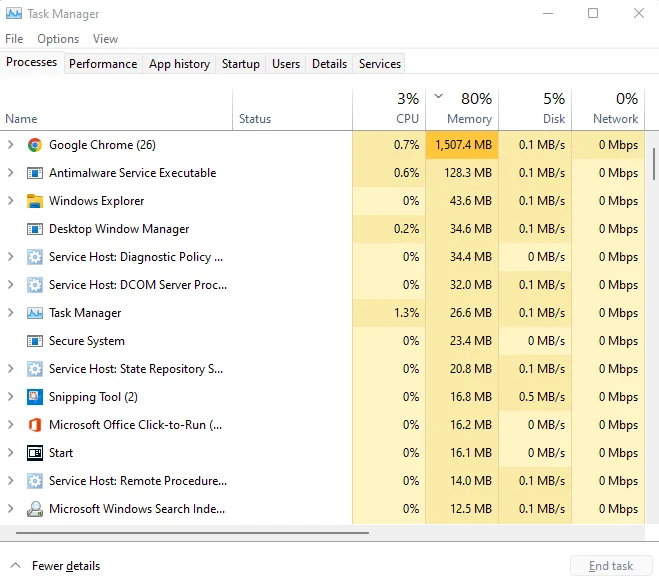
2. Identifying Software and System Bottlenecks
The inspection pointed towards accumulated software-related issues and unnecessary background processes putting pressure on the system’s available resources. These issues can build up over time, causing a computer to take longer to start, respond slowly to commands, and struggle with everyday applications.
3. Cleaning Up and Optimising the System
We worked through the identified issues, removing unnecessary software and startup items, reviewing background processes, and addressing the system configuration problems affecting performance. The aim was to reduce unnecessary resource usage and restore smoother operation without recommending hardware replacement that wasn’t required.
4. Testing the Computer
After completing the optimisation work, we restarted the computer and checked its general operation, startup behaviour, and responsiveness when opening applications. These final checks helped ensure the system was running more smoothly before it was returned to Zayan.
The Result
Zayan’s computer was running properly again, making everyday tasks less frustrating and allowing him to continue using his existing machine.
Rather than immediately purchasing a replacement, he was able to keep using the computer he already owned. The repair saved him the hassle of setting up a new system and the expense of replacing hardware that could still serve his needs.
By identifying the underlying performance issues and addressing them directly, we helped Zayan get more life out of his computer without the cost of an unnecessary upgrade.
What Our Customer Said
Took my computer in because it had become painfully slow and I was half expecting to be told I needed a new one. They checked it first, explained the issue clearly and got it running properly again. Saved me a fair bit of hassle and money.
– Zayan Brooks
Is Your Computer Running Too Slowly in Perth?
If your computer has become painfully slow, takes too long to start, or struggles with everyday tasks, it may not need to be replaced just yet. At Computer Mechanics, we provide laptop computer repair services across Perth and surrounding suburbs, helping identify the cause of performance issues and recommend the right solution to get your computer running properly again.
Whether you’re using an older pc or a laptop that’s suddenly become sluggish, we’ll diagnose the problem and the available repair options so you can make an informed decision before spending money on a replacement.
Is your computer running slower than it should? Get in touch with Computer Mechanics in Perth for an assessment.