


Your CPU is constantly adjusting its temperature as you browse the web, stream videos, play games, or run demanding applications. But how do you know whether the number on your screen is normal? A CPU running at 40°C during light use has a very different thermal profile from one reaching 80°C during gaming.
This guide explains normal CPU temperature ranges for desktops, laptops, gaming, and heavy workloads. You’ll also learn how Intel and AMD temperatures differ, what TJMax means, and when a CPU temperature reading may require attention.
Key Takeaways
- A normal CPU temperature is usually 30–45°C at idle and 60–85°C under load, depending on the processor and cooling setup.
- Safe CPU temp limits differ by brand — Intel CPUs typically throttle near 100–105°C, while AMD CPUs throttle around 89–95°C.
- Laptops naturally run warmer than desktops because of tighter cooling systems and less airflow.
- Consistently high CPU temperature can cause thermal throttling, random shutdowns, and long-term hardware damage.
- Tools like Core Temp, HWiNFO, and iStat Menus make it easy to check CPU temp in real time.
Understanding CPU Temperature
CPU temperature is a measure of the heat generated by the processor while handling the complex tasks and running applications, which is normally measured in degrees Celsius (°C) or Fahrenheit (°F).
- At high CPU temperatures, system performance is lowered due to thermal throttling.
- Prolonged high CPU temperatures can cause PC issues such as random shutdowns, reduced performance, or loud fan noise, as the cooling system works harder to bring temperatures down. Excessive overheating can damage your laptop or computer’s processor, motherboard, or other components.
- Maintaining a safe CPU temperature helps improve performance, extends your hardware’s lifespan.
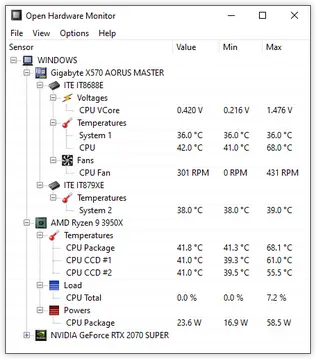
Healthy CPU Temperature
A healthy CPU temperature depends on the processor model, workload, cooling system, and computer type. Regular temperature checks can help maintain:
- Smooth performance without sudden slowdowns
- Reduced risk of system crashes, unexpected shutdowns, or random restarts
- Longer lifespan for the CPU and also the surrounding components
As a general guide, temperatures consistently above 45–50°C at idle or 90–105°C under full load may require attention. However, always check the specifications for your exact CPU. Desktop temperatures vary by workload, while laptops and ultrabooks may run warmer because of their compact cooling systems.
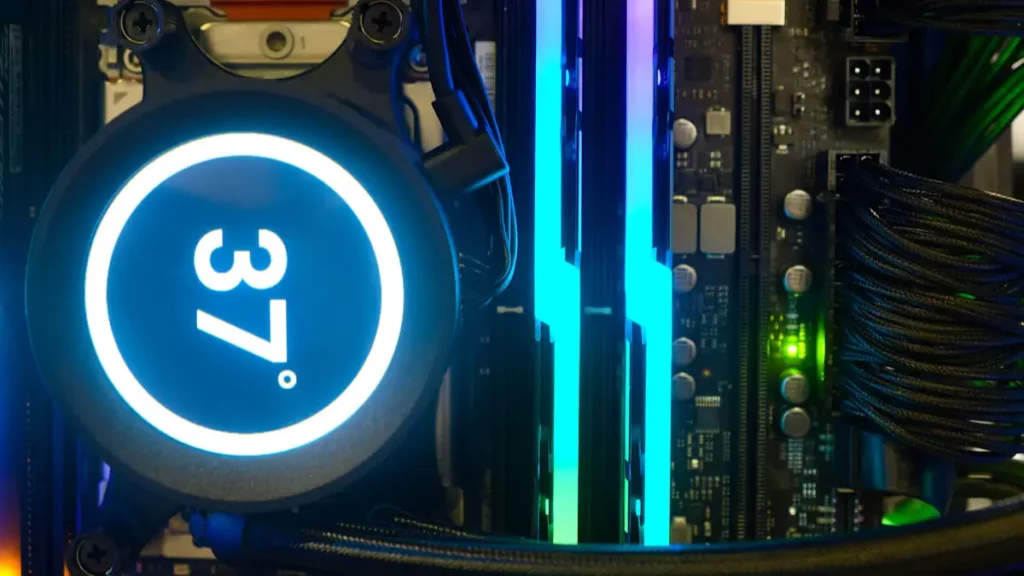
Healthy CPU Temperature Ranges
Based on usage scenarios, a normal temperature of CPU range is as follows:
| Usage Scenario | Typical Temperature Range (°C) | Typical Temperature Range (°F) | Approx. CPU Load (%) |
| Idle / Light Use | ~ 30–45 | ~ 86–113 | 1–10% |
| Web Browsing / Streaming | ~ 40–60 | ~ 104–140 | 5–25% |
| Work / Productivity | ~ 50–65 | ~ 122–149 | Medium |
| Gaming | ~ 60–80 | ~ 140–176 | 40–70% |
| Video Editing / Rendering | ~ 70–85 | ~ 158–185 | 70–100% |
| Stress Testing / Maximum Safe | ~ 90–105 | ~ 194–221 | 100% |
CPU Temperature by Processor Type
The ideal CPU temperature depends on the processor and computer model. Use these ranges as general guidelines, not strict limits.
Desktop CPUs
- Idle temperature: Around 30–50°C.
- Gaming or heavy use: Around 60–85°C.
- A well-cooled desktop may run below these ranges.
- A high-performance CPU, warm room, or poorly ventilated case may cause higher temperatures.
- Brief temperature spikes are usually less concerning than temperatures that remain high throughout the workload.
Laptop CPUs
- Laptop processors often run warmer than desktop CPUs because of their compact cooling systems.
- Idle temperature: Around 35–55°C.
- Gaming, rendering, or heavy workloads: Around 70–90°C.
- These temperatures may be normal for thin laptops.
- Sustained temperatures near the processor’s TJMax, frequent performance drops, or unexpected shutdowns indicate that the laptop needs attention.
Intel vs AMD
- Intel and AMD processors use different architectures, power limits, boost behavior, and thermal specifications.
- There is no single Intel temperature or AMD temperature that applies to every processor generation.
- Many Intel processors have maximum temperature limits between 100–110°C.
- Many AMD Ryzen desktop processors have maximum temperature limits around 95°C.
- These limits can vary by model, so always check the official specifications for your exact CPU.
High-performance/workstation CPUs
- High-performance processors, such as AMD Threadripper and Intel Xeon, can produce more heat because they have more cores and higher power demands.
- A workstation CPU may reach 70–95°C during sustained professional workloads.
- The actual temperature depends on the processor model and cooling system.
- For workstation systems, stable performance is more important than achieving the lowest possible temperature.
- A temperature below TJMax without thermal throttling is generally more useful than a brief low-temperature reading.
TJMax (Maximum Operating Temperature)
TJMax is the highest temperature a processor is designed to handle before it activates thermal protection. When the CPU reaches this limit, it may reduce its clock speed and power consumption to control heat and prevent damage.
Short temperature spikes are usually normal. However, running close to TJMax for long periods can reduce performance and may shorten the lifespan of the processor. Laptop and ultrabook CPUs may also run warmer at idle because their compact cooling systems provide less ventilation.
General TJMax Guidelines
| Processor type | Typical temperature limit | What happens near the limit? |
| Intel CPUs | Around 100–105°C or higher, depending on the model | Thermal throttling may reduce clock speed and power consumption. |
| AMD CPUs | Around 89–95°C, depending on the model | The processor may throttle to control temperature. |
| Laptop and ultrabook CPUs | Model-specific | Compact cooling systems may cause higher temperatures, especially under load. |
Modern CPU Examples
| CPU or processor series | System type | Typical or maximum temperature guidance |
| AMD Ryzen 5000 and 7000 | Desktop | Many models can safely operate up to 95°C. However, some high-end models, such as the Ryzen 9 7950X3D, have a lower TJMax of 89°C. |
| AMD Ryzen 7000 | Laptop | Temperatures may range from 70–95°C during demanding workloads, depending on the laptop’s cooling system. |
| Intel Core i9, 12th–14th Gen | Desktop | May reach around 100°C under heavy load. Newer Arrow Lake processors generally tend to run cooler. |
| Intel Core i5 and i7, 12th–14th Gen | Desktop and laptop | Typical temperatures under load range from 70–90°C and may reach 100°C during very heavy workloads. |
| Apple M1 and M2 | Laptop and desktop | Idle temperatures commonly stay around 30–45°C, while heavy-load temperatures often remain below 85°C. |
High-End Workstation CPUs
| Workstation CPU | Common operating range under load | Key information |
| AMD Threadripper | Around 60–95°C | Designed for intensive multi-core workloads. Temperature depends on usage and cooling. |
| Intel Xeon | Commonly below 80–85°C | Heavy server and workstation workloads may push temperatures higher. |
What Causes High CPU Temperature?
A high CPU temperature is usually caused by poor cooling or heavy system usage. If your CPU regularly runs hotter than normal, one or more of the following could be the reason:
- Cooling fan problems: A faulty or slow-running CPU fan may not remove heat effectively, causing the processor to overheat.
- Dust buildup: Dust inside your computer blocks airflow and prevents the cooling system from working efficiently.
- Poor airflow: Blocked air vents or limited ventilation can trap heat inside your computer, causing the CPU temperature to rise.
- Old or dried thermal paste: Over time, thermal paste loses its effectiveness, making it harder to transfer heat from the CPU to the cooler.
- Heavy CPU usage: Running games, video editing software, or other demanding applications for long periods can increase CPU temperature.
How to Check Your CPU Temperature
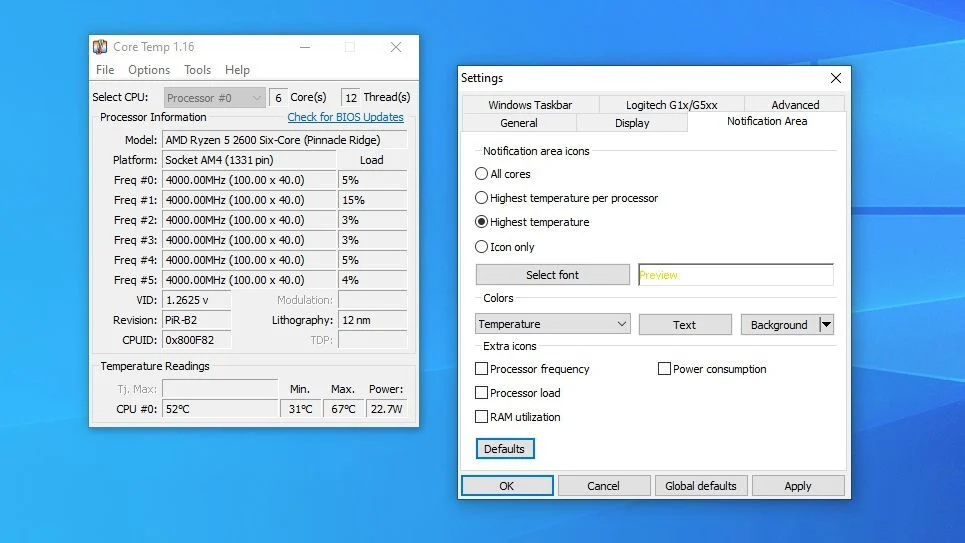
You can check CPU temperature with monitoring software, BIOS/UEFI firmware, or a controlled stress test. Software is usually the easiest option because it shows live readings while the computer is idle, gaming, or performing other tasks. For accurate results, monitor the temperature for several minutes and note the peak temperature, average temperature, workload, and whether the CPU is throttling.
Windows users can use tools such as Core Temp, HWiNFO, or HWMonitor, while Mac users can use options such as iStat Menus or Macs Fan Control. BIOS/UEFI is useful for checking idle temperature, and a controlled stress test can show peak temperature under load.
When Should You Be Concerned About CPU Temperature?
You should be concerned about your CPU temperature when your laptop:
- Stays above 45–55°C at idle or 85–90°C during gaming or heavy use.
- Frequently reaches or stays near its TJMax.
- Shows thermal throttling, slower performance, stuttering, or FPS drops.
- Causes loud fan noise during light tasks.
- Leads to freezes, crashes, blue screens, restarts, or sudden shutdowns.
- Triggers an over-temperature warning in BIOS or monitoring software.
- Runs hot because of dust, blocked airflow, a failing fan, a loose cooler, or old thermal paste.
Short temperature spikes are usually normal, but sustained high temperatures combined with performance issues or system instability require prompt attention. Always check the maximum temperature specified for your exact CPU model.
Conclusion
A normal CPU temperature changes with workload, processor design, cooling, and room temperature. In many systems, 30–50°C at idle and 60–85°C under gaming or heavy use are reasonable reference points, but your CPU’s official TJMax remains the most important limit. Occasional spikes are usually acceptable; sustained high temperatures, thermal throttling, crashes, and shutdowns should not be ignored.
At Computer Mechanics, our expert technicians diagnose CPU overheating and performance issues through professional PC and laptop repairs, hardware troubleshooting, system optimisation, and hardware upgrades. We provide fast, practical support to help your computer run smoothly and reliably again.
Frequently Asked Questions (FAQs)
1. What is a normal CPU temperature while gaming?
A normal CPU temp while gaming is often around 60–85°C, although gaming laptops and compact PCs may reach 70–90°C. Check the temperature of your exact processor and look for sustained readings near TJMax, thermal throttling, stuttering, or shutdowns rather than judging one brief spike.
2. Is 90 C bad for a CPU?
90°C is considered high for a CPU, but it is not necessarily dangerous during demanding tasks such as gaming, video editing, or stress testing. Some modern processors can safely reach temperatures around this level for short periods. However, if the CPU consistently stays near 90°C during normal use, check the cooling system, airflow, dust buildup, and the processor’s TJMax.
3. Can high CPU temperatures damage a CPU?
Modern CPUs include thermal protection that can reduce power, lower clock speed, and shut down the computer if temperatures become critical. Occasional high readings are unlikely to damage a processor, but constant overheating can reduce performance, increase system instability, and place unnecessary stress on the cooling system. Find and fix the cause if the CPU regularly approaches TJMax.
4. Why does CPU temperature increase under load?
CPU temperature increases under load because the processor uses more power while running games, video-editing software, rendering tools, stress tests, and other demanding applications. More power creates more heat, and the cooling system must transfer that heat away from the CPU. Boost features can also raise clock speed and temperature for short periods.
5. What temperature should a CPU be at idle?
A typical CPU idle temperature is about 30–50°C on a desktop and 35–55°C on a laptop, although room temperature, fan settings, background processes, and the cooler can change the result. If the CPU temp remains unusually high at idle, check CPU usage, airflow, dust, fan operation, and thermal paste.
6. What is the maximum safe CPU temperature?
The maximum safe CPU temperature is the TJMax or maximum operating temperature listed for your exact processor. Many Intel processors list limits between 100–110°C, while many AMD Ryzen processors use limits around 95°C, but these are not universal rules. Treat TJMax as the upper protection limit, not a target, and investigate sustained readings near it.
